 Nura
NuraSnap a photo
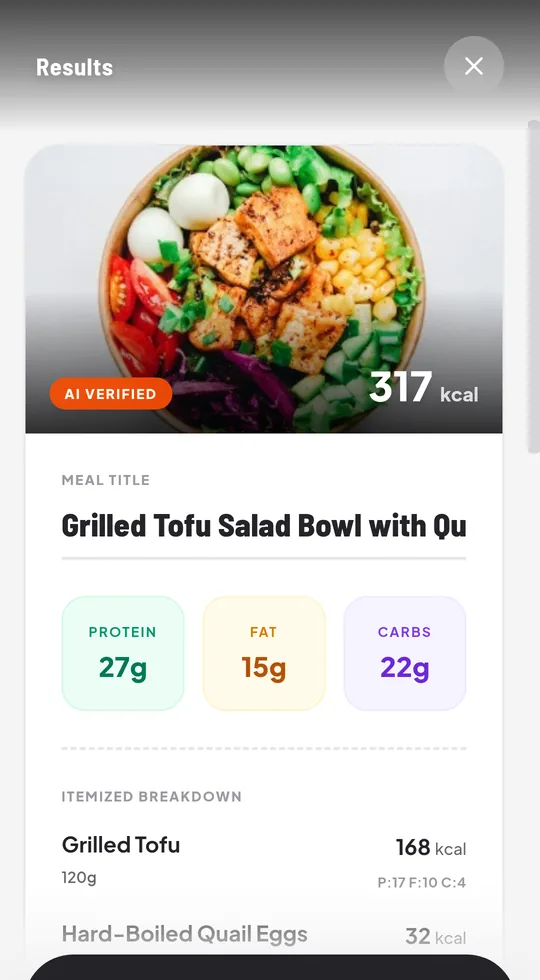
Point at your plate. Nura finds each food, estimates the portion and shows calories, protein, carbs and fat. Fix anything before you log it.
Nura turns a photo, a barcode or a few words into calories and macros — with child-safe targets, offline logging and gentle reminders.
Version 1.3.1 · 3.3 MB · Android 10 or newer · Free
This is Nura's real food database, nutrition engine and meal planner, running right here on this page. Watch the tour, or take over.
Photograph your plate, scan the barcode, or write what you ate.
See every food with calories, protein, carbs and fat. Adjust the portion if you need to.
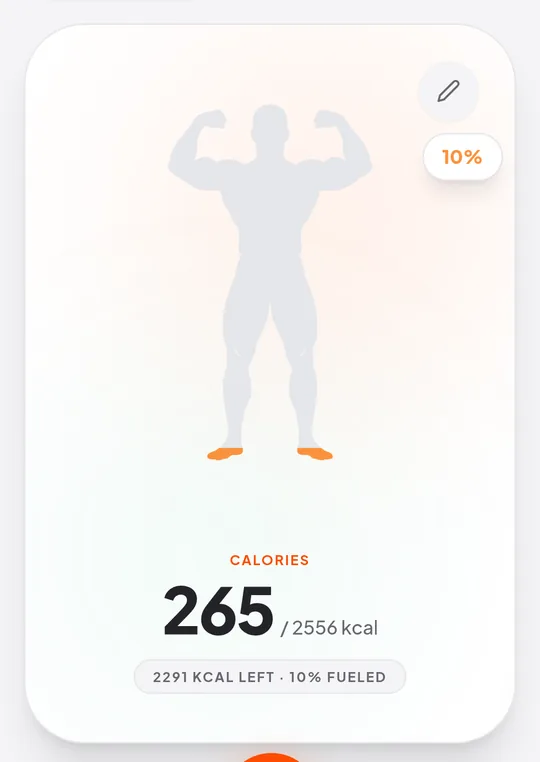
Watch your day fill up against targets that fit your age, goal and activity.
Real screens from the app. Swipe to see more.
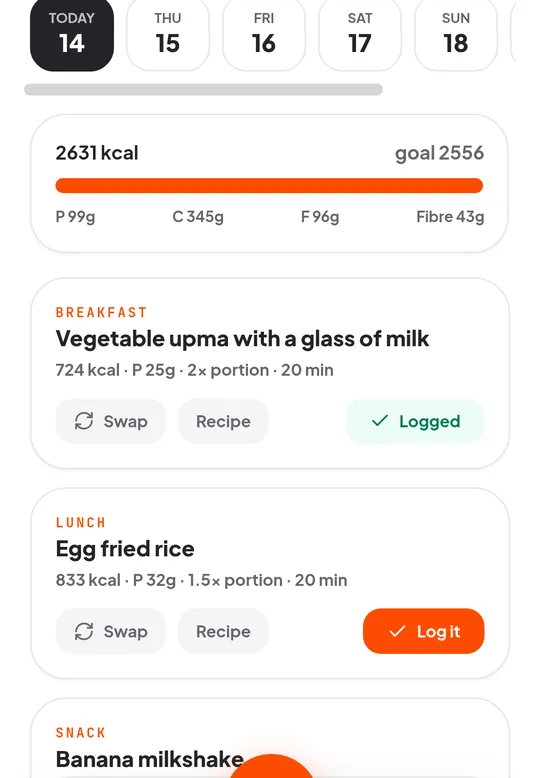
Built for real kitchens: quick to use, forgiving when you are busy, and careful with the people who matter most.
Point at your plate. Nura finds each food, estimates the portion and shows calories, protein, carbs and fat. Fix anything before you log it.
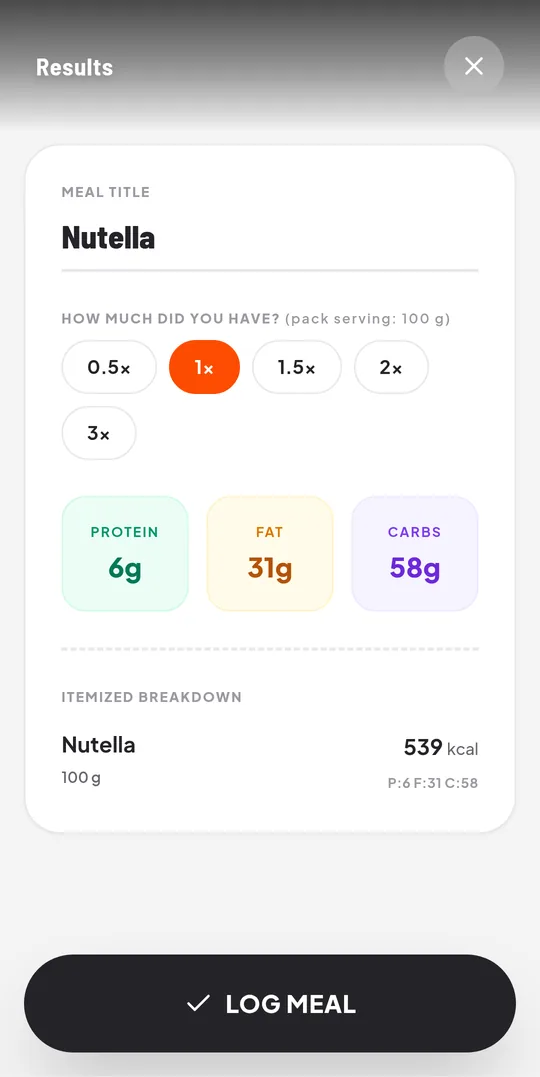
Packaged food in seconds, from an open product database. Choose how much you actually had, from half a serving to three.
“2 rotis with dal and a bowl of curd” becomes an itemised meal. Or search 158 everyday Indian and global foods, even with typos.
No signal in the kitchen or on the train? Log meals, water and weight anyway. Everything syncs by itself when you are back online.
Add up to six people, each with their own targets, meals, water and weight. Switch profiles with one tap.
Targets for children use paediatric energy guidelines, never a weight-loss deficit under 18, and ask for a parent's confirmation under 13.
62 recipes and a weekly plan made for each person's age, diet and allergies. Swap a meal, log it, or send the shopping list to your phone.
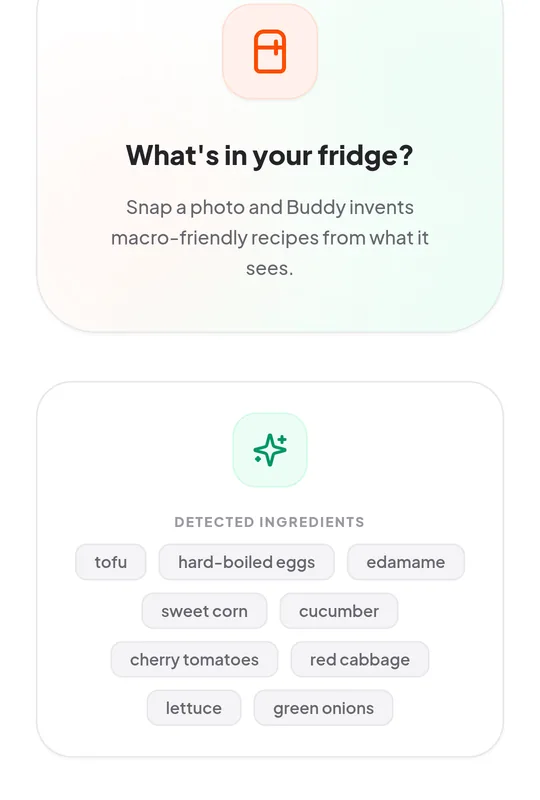
Photograph what you have. Nura lists the ingredients it sees and suggests macro-friendly recipes from them.
Daily water goals that fit age and activity, and a weight trend that warns you if you are losing weight too fast.
Meal, water and weigh-in nudges at times you choose. Skipped automatically if you just ate, and never at night.
Connect Health Connect to bring in steps, active calories, workouts and weight from your watch or fitness app. Or log a workout by hand.
Download everything as spreadsheets or JSON, print a summary for your doctor or dietitian, or delete your account whenever you like.
We never sell your data. You can export or delete it at any time.
Read the privacy policyOnly you and the family profiles you create can see your meals, water and weight.
Meal photos are analysed by Google Gemini. Prefer not to share a photo? Search, barcode and manual entry never send one.
Nura reads from Health Connect only after you pair it and grant access, and never writes to it. Disconnect any time.
One tap exports spreadsheets or JSON. Passwords are never included.
Tap Download for Android. If your browser says the file type can be harmful, that is Android's standard message for any app outside the Play Store. Choose Download anyway.
Tap the downloaded “nura.apk” from the notification or your Downloads folder.
If Android asks, allow installs from your browser (Settings → Install unknown apps). This is needed only once. Then tap Install.
Create an account, add yourself and your family, and log your first meal.
SHA-256 of the file for version 1.3.1:
9b2d1af5fd900941e8595806cc1a3c72f1144d6d53eef2f5e9d85075b4a709f9Yes. Download it and use every feature for free. The three features that cost real money to run — AI photo scan, AI typing/voice and Fridge Raider — are limited to 10 a day on the free plan, and the counter resets at your midnight. Search, barcodes, recipes, meal plans, water, weight, reminders and exports are never limited. A Premium plan with unlimited AI scans is coming soon.
It is coming. Until then you install it directly from this page. The file is signed by us and its checksum is shown below so you can verify it. Android may ask you to allow installs from your browser once.
Nura asks only for what its features need: camera (to scan), microphone (voice input), notifications (reminders) and, only if you connect it, Health Connect read access. You can compare the SHA-256 shown on this page with the file you downloaded.
Android 10 or newer. It is built as a small native app (under 4 MB). Health Connect sync is built in on Android 14 and newer; on Android 9 to 13 you also need Google's free Health Connect app.
Meal and fridge photos are sent securely to Google's Gemini AI to be analysed. On Gemini's free tier Google may review submitted photos to improve its products. Text you type or speak is processed by an AI text service (Groq). If you would rather not share photos, use search, barcode or manual entry. Details are in the privacy policy.
Logging does. Meals you search or enter, water and weight are saved on the phone and sync later. AI photo and text analysis, and barcode lookups, wait until you are online and then run automatically.
Yes, that is a core use. Each child gets their own profile with age-appropriate targets. Nura never sets a weight-loss deficit for anyone under 18 and does not let children “earn back” food with exercise.
No. It is a tracking and education tool, not a medical device. If you or your child has a medical condition, an eating disorder or special dietary needs, talk to a doctor or registered dietitian.
Nura is in testing and we read everything. In the app go to Profile → Send feedback and tell us what happened. It takes under a minute and helps a lot.
In the app: Profile → Your data to download everything, and Profile → Delete Account to remove your account and everything attached to it.